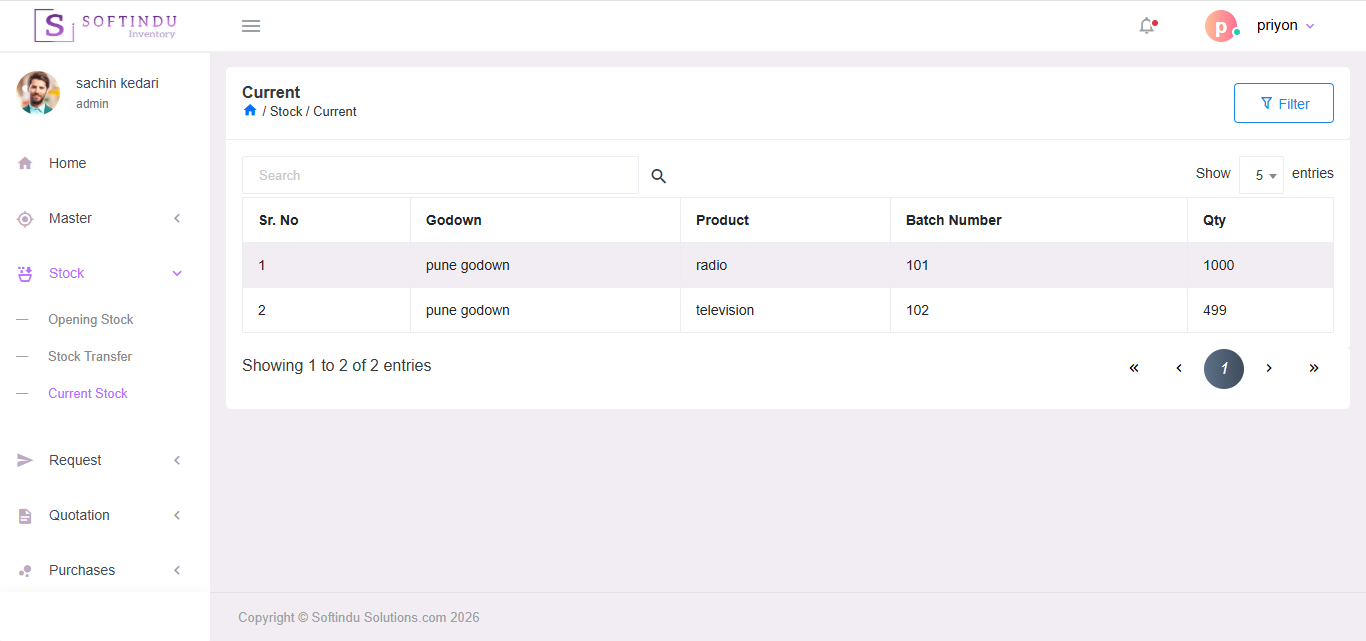
Managing inventory efficiently is essential for any growing business. Our Inventory Management System helps you keep accurate stock records, reduce losses, and make smarter purchasing and sales decisions. It simplifies day-to-day inventory operations so you can focus on running your business.
1. Centralized Stock Management
Track all your products from a single system. View current stock levels, product details, categories, and locations without confusion.
2. Real-Time Stock Updates
Every purchase, sale, or stock movement automatically updates inventory. This ensures you always know the exact quantity available.
3. Product & Category Management
Easily create and organize products with categories, SKUs, pricing, and descriptions so your inventory stays structured and easy to manage.
4. Purchase Management
Record purchases from suppliers, update stock automatically, and maintain a history of all procurement activities.
5. Sales Tracking
Track product sales and instantly see how stock is moving. This helps you understand which products are performing well.
6. Low Stock Alerts
Get alerts when items are running low so you can reorder before stock runs out and avoid losing sales.
7. Supplier Management
Store supplier information, purchase history, and contact details in one place for better coordination.
8. Stock Reports & Insights
Generate reports for stock status, purchase history, sales trends, and inventory value to make better business decisions.
9. Multi-User Access
Allow different team members to manage inventory with proper access control and role permissions.
10. Secure Cloud Access
Access your inventory system anytime and from anywhere. Your data stays safe and backed up.
The Inventory Management System is designed to streamline stock handling, purchasing, and sales operations. It is divided into four major menus: Master Menu, Stock Menu, Purchase Menu, and Sales Menu. Each menu plays a vital role in managing inventory efficiently and accurately.
1. Master Menu
The Master Menu is the foundation of the inventory system. It contains all essential configurations and basic details required to manage inventory operations effectively.
Key Components:
2. Stock Menu
The Stock Menu manages stock movement and availability across warehouses or godowns.
Features:
This menu ensures accurate tracking of inventory levels and movement.
3. Request Menu
The Request Menu is used to manage customer quotation requests efficiently. It helps in tracking initial requests and handling revisions systematically.
Features:
1. New Quotation Request This option allows users to create a fresh quotation request based on customer requirements.
Benefits:
1. Revise Quotation Request This option allows modification of an existing quotation request when changes are required.
Revision Capabilities:
4. Quotation Menu
The Quotation Menu is designed to manage all quotation-related activities. It allows users to handle new quotation requests, revise existing quotations, and create direct (self-generated) quotations without a prior request.
Features:
1. New Quotation This option allows users to create a quotation based on a customer request or direct inquiry.
Key Details:
Benefits:
2. Revise Quotation This feature allows modification of an existing quotation when changes are requested by the customer.
Revision Options:
Benefits:
3. Self Quotation (Direct Quotation) This option allows users to create a quotation directly without linking it to a prior quotation request.
Used When:
Key Features:
5. Purchase Menu
The Purchase Menu manages procurement activities and supplier transactions.
Features:
This module ensures proper control over procurement and supplier management.
6. Sales Menu
The Sales Menu handles customer transactions and outgoing stock.
Features:
This module ensures accurate billing, stock deduction, and revenue tracking.