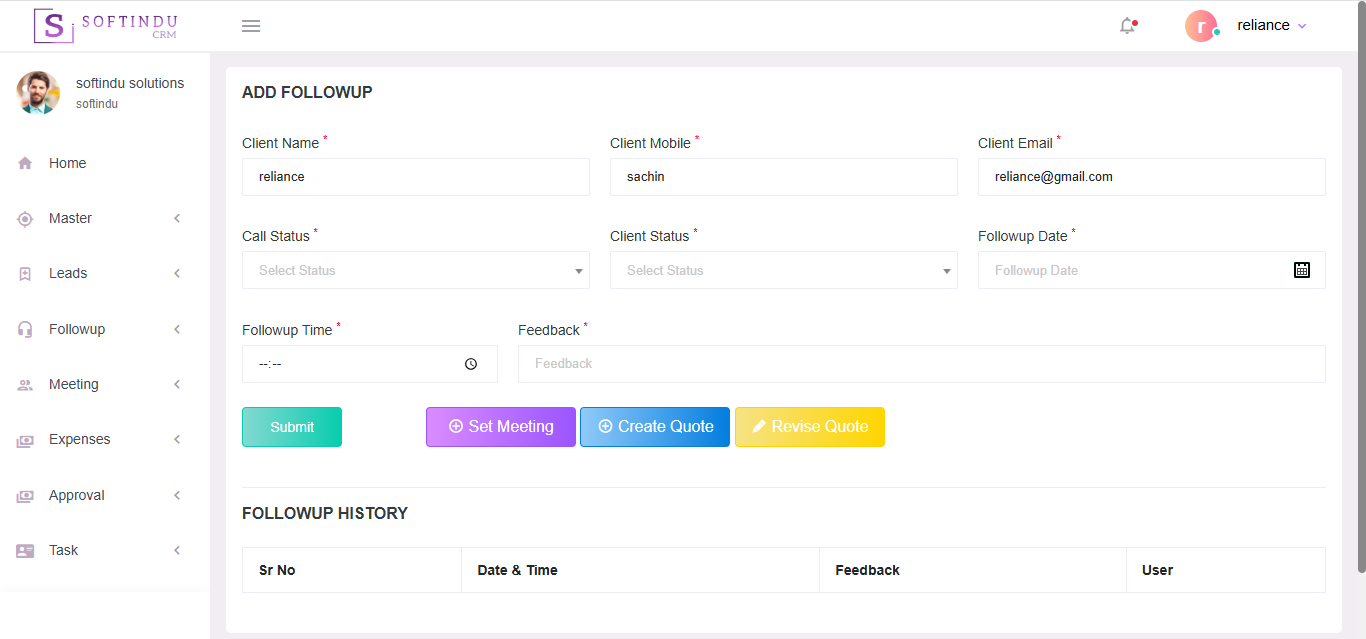
Choosing the right CRM is critical for business growth. Our CRM is designed to simplify customer management, improve sales performance, and help your team work more efficiently — all in one powerful platform.
1. Simple Yet Powerful
An intuitive interface makes it easy for your team to manage leads, customers, follow-ups, and tasks without complexity.
2. All-in-One Customer Management
Track leads, manage customer details, schedule follow-ups, assign tasks, and monitor sales progress from a single dashboard.
3. Cloud-Based & Accessible Anywhere
Access your data securely anytime, from any device — whether you're in the office or on the move.
4. Increase Sales & Conversions
Automated reminders and organized lead tracking ensure you never miss an opportunity, helping you close more deals.
5. Customizable to Your Workflow
Every business is unique. Our CRM adapts to your process, not the other way around.
6. Data Security & Reliability
Your customer data is protected with secure infrastructure and regular backups for complete peace of mind.
7. Cost-Effective Solution
Get enterprise-level CRM features without enterprise-level pricing.
8. Dedicated Support
We provide reliable support to ensure smooth implementation and ongoing success.
Our CRM system is designed to streamline your complete sales and customer management process — from lead generation to meeting tracking and task management — all in one powerful platform.
1. Master Menu
The Master Menu allows you to manage and control all essential master data required for smooth CRM operations.
You can configure system settings, user roles, permissions, and other foundational elements from here.
2. Lead Menu
The Lead Menu helps you manage all business leads in one place.
Add Leads:
Lead Management:
3. Follow-Up Management
The Lead Menu helps you manage all business leads in one place.
4. Meeting Menu
The Meeting Menu helps you plan and manage customer meetings effectively.
This ensures proper communication and relationship management with clients.
5. Task Menu
The Task Menu helps manage internal work efficiently.
This improves accountability and team productivity.
6. Track Menu (Location Tracking)
The Track Menu allows real-time location tracking of meetings.
This is especially useful for field sales teams.
7. Request Menu (Quotation Request)
The Request Menu helps you manage customer quotation requests efficiently.
This ensures no business opportunity is missed.
8. Quotation Menu
The Quotation Menu allows you to:
This simplifies the sales conversion process.