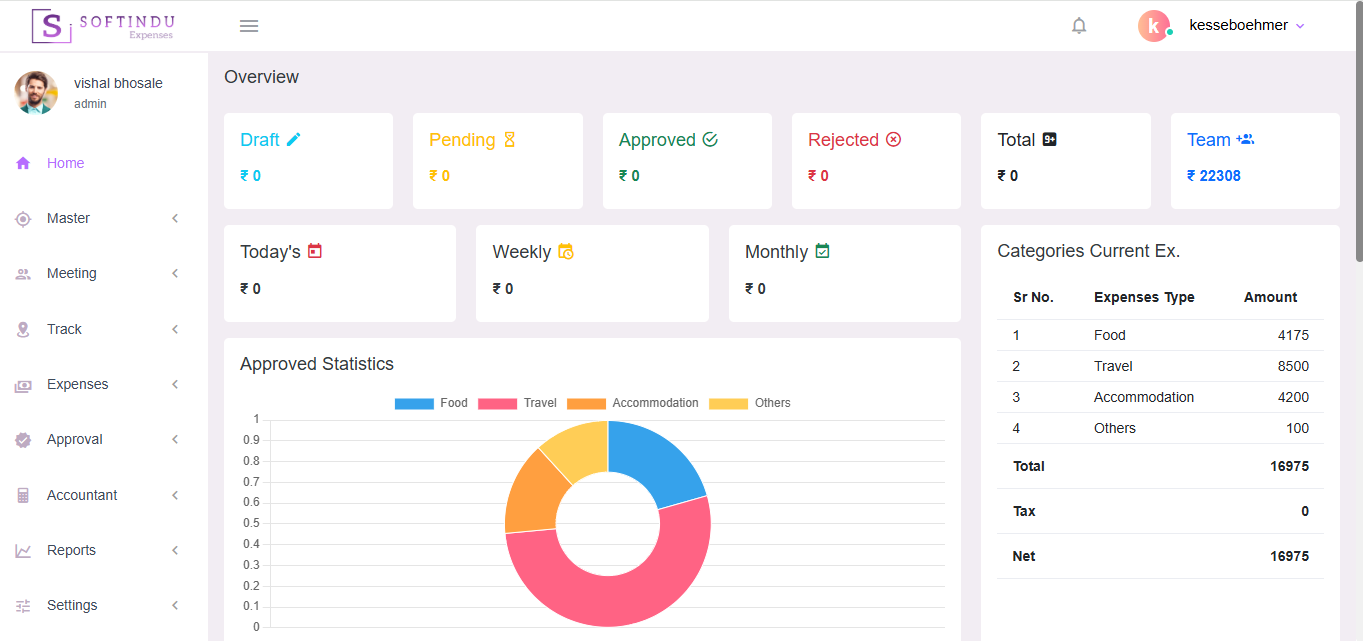
Managing expenses for a mobile field sales force can be chaotic — from receipts scattered across WhatsApp to delayed reimbursements and lack of visibility. Our Expenses SaaS platform is built specifically to help field sales teams track, submit, and manage expenses effortlessly — from anywhere.
1. Mobile-Friendly & Easy to Use
Your sales team can capture and submit expenses instantly from their phone — take photos of receipts, record travel costs, and submit claims on the go. No paperwork, no delays.
2. Real-Time Tracking & Approvals
Field expenses get updated instantly. Managers receive notifications and can approve or reject claims in real time — speeding up reimbursements and reducing bottlenecks.
3. Automated Reports & Analytics
Generate smart reports with insights into travel, meals, fuel, accommodation, and other field expenses. Get budget tracking and performance insights without manual spreadsheets.
4. Cloud-Based & Secure
Access expense data anytime, from anywhere. Our secure cloud infrastructure ensures your data is encrypted and safe.
5. Policy Compliance & Expense Control
Set custom spending policies — control limits for categories like travel, meals, and allowances. Automatic policy checks prevent out-of-policy expenses.
6. Cost-Effective & Scalable
Pay only for what you need. Flexible SaaS pricing makes it ideal for small teams and large sales forces alike. Scale as your team grows.
7. Dedicated Support
Our team is always here to help — quick onboarding, live support, and training resources to keep your field force productive.
Our Expenses Management Software is designed to simplify and streamline the entire expense process — from expense entry to approval and final payment. The system ensures transparency, control, and faster processing for your organization.
1. Master Menu
The Master Module allows you to configure and manage all essential setup details of your organization,
including:
2. Meeting Menu
The Meeting Menu helps you plan and manage customer meetings effectively.
This ensures proper communication and relationship management with clients.
3. Track Menu (Location Tracking)
The Track Menu allows real-time location tracking of meetings.
This is especially useful for field sales teams.
4. Expenses Menu
The Expenses Module enables users (such as field sales teams or employees) to easily:
Users can track the status of their submitted expenses in real time.
5. Approval Menu
The Approval Module ensures a controlled and transparent approval process.
This reduces delays and improves accountability.
6. Accountant Menu
The Accountant Module manages the final stage of the expense process.
This completes the end-to-end expense lifecycle — from submission to reimbursement.